I am creating a task that requires adaptive display time of a stimulus according to the reaction time of the participant in the previous trial. The display will start at 2000 miliseconds and be adapted to add another 1000 miliseconds if they are slower or subtract 1000 miliseconds if they are fast. This would be acrried out on all the trials. How can I execute this on Superlab 6?
As a starting point, create a trial variable of type “Time Limit” (see Experiment menu → Trial Levels).
-
In the Levels tab, type the time limit values that you want separated by a comma, e.g. 2000, 3000, 4000.
-
In the Level Selection tab, set the order to “Manual”
With this in place, you can then use these three actions:
- Move to next trial level
- Move to previous trial level
- Set trial level
These actions are available when adding feedback to an event or when creating a rule.
Hello! Thank you so much for your response. In the same experiment I have created a rule for two out of three trials. In the positive trial, if the participant has responded within the cut off time, then they will be shown an output_positive and the time to respond to the next target will be decreased by 1000ms. If they are unable to respond within the cut off time, then the participant will be shown output_neutral and the time to respond to the next target stimulus will be increased by 1000ms (screenshot attached). I have created two rules in which I have 2000ms as the start cut off time. The problem is that the program is running both rules regardless of the conditions, so the participant is shown a happy face and blurry face both regardless of his reaction time. How to rectify this? I think in Superlab 6 the rules are implemented sequentially, I tried changing the sequence too, but it didn’t help.
Thank you and regards,
VS
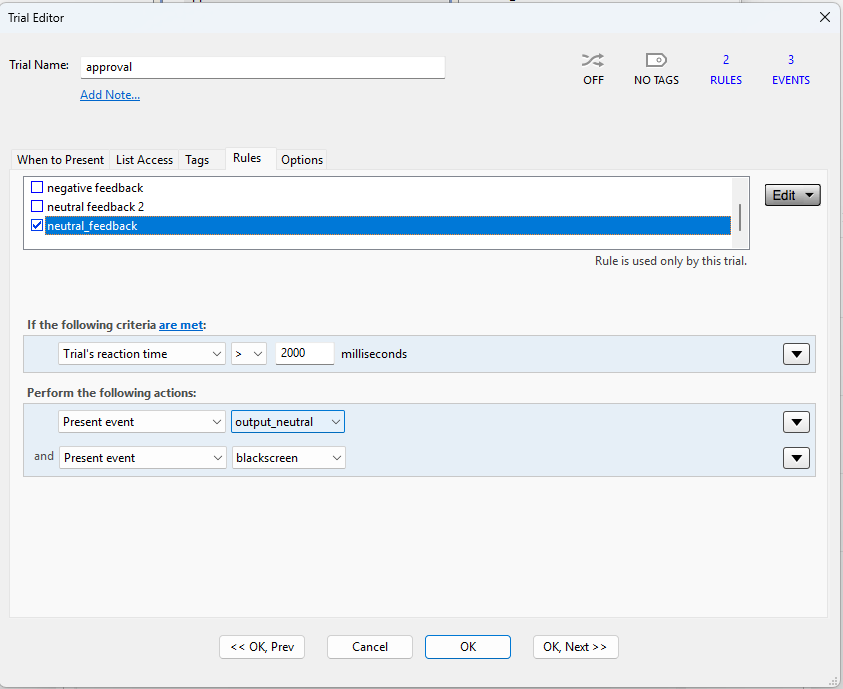
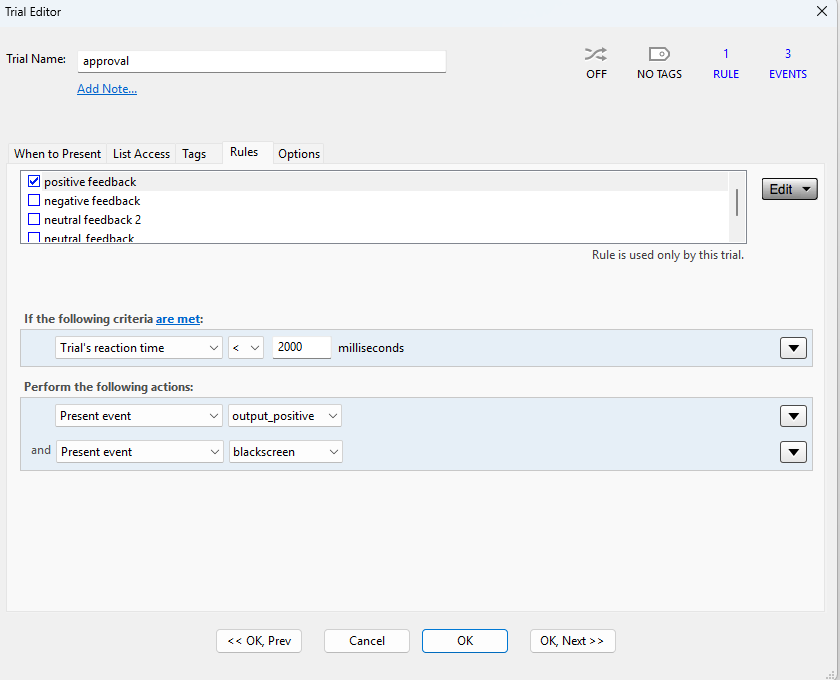
You are correct, there isn’t an action to “stop evaluating rules”. There should be. Meanwhile, here’s a workaround.
-
Create a parameter of type Counter, call it “Continue evaluating rules”. Set range to 0 or 1.
-
Create a rule named “Do evaluate all rules”. The criterion for this rule should be “Always”. Only one action is needed, which is to set the parameter value to 1.
-
If your list of rules, make sure that this new “Do evaluate all rules” rule is always the first one to be evaluated.
-
When you want your rule to be the last one to be evaluated, add an action to set the value of the “Continue evaluating rules” parameter to 0.
-
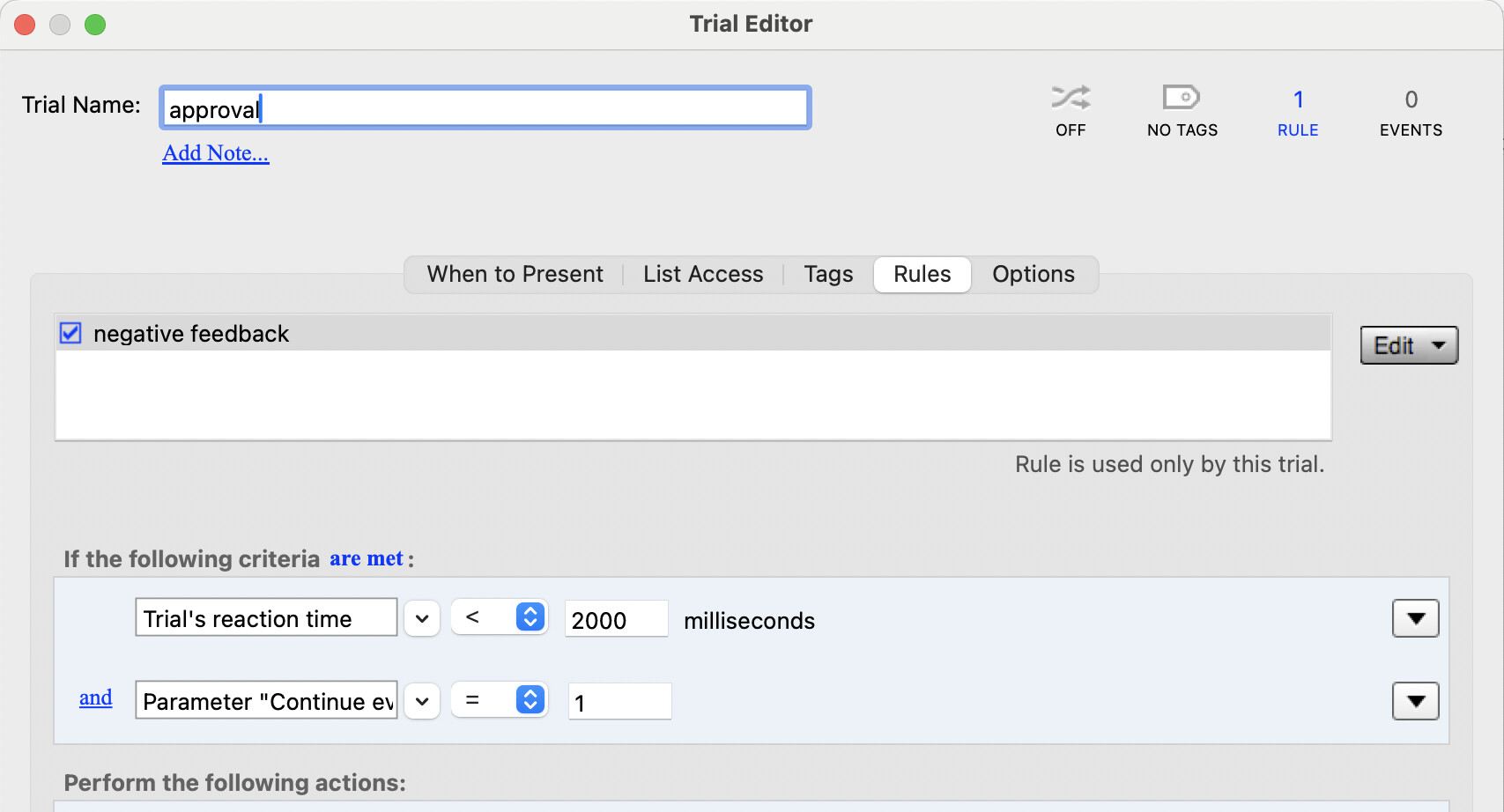
For rules, add a new criterion to check the value of parameter “Continue evaluating rules”, like in the screenshot.
We will remedy this in a future release so it would be easier.
Hello! just wanted to let you know that your solutions worked. Thanks a lot for helping me!
Warm regards,
Vasundhara
1 Like
My pleasure! Good luck.
Hello again, I am facing a few additional issues I in developing my Superlab 6 task.
- After implementing the previous steps suggested by you, the program is giving single feedback. However, the task tends to give only positive feedback even when I haven’t responded at all or have not responded within the cut off time. For example, if the target cut off is 1000ms then even if I respond beyond 1000ms the feedback is presented as positive only. Maybe the neutral rule is not being assessed(?). I have attached a screenshot of my positive and neutral rules so as to give a better idea.
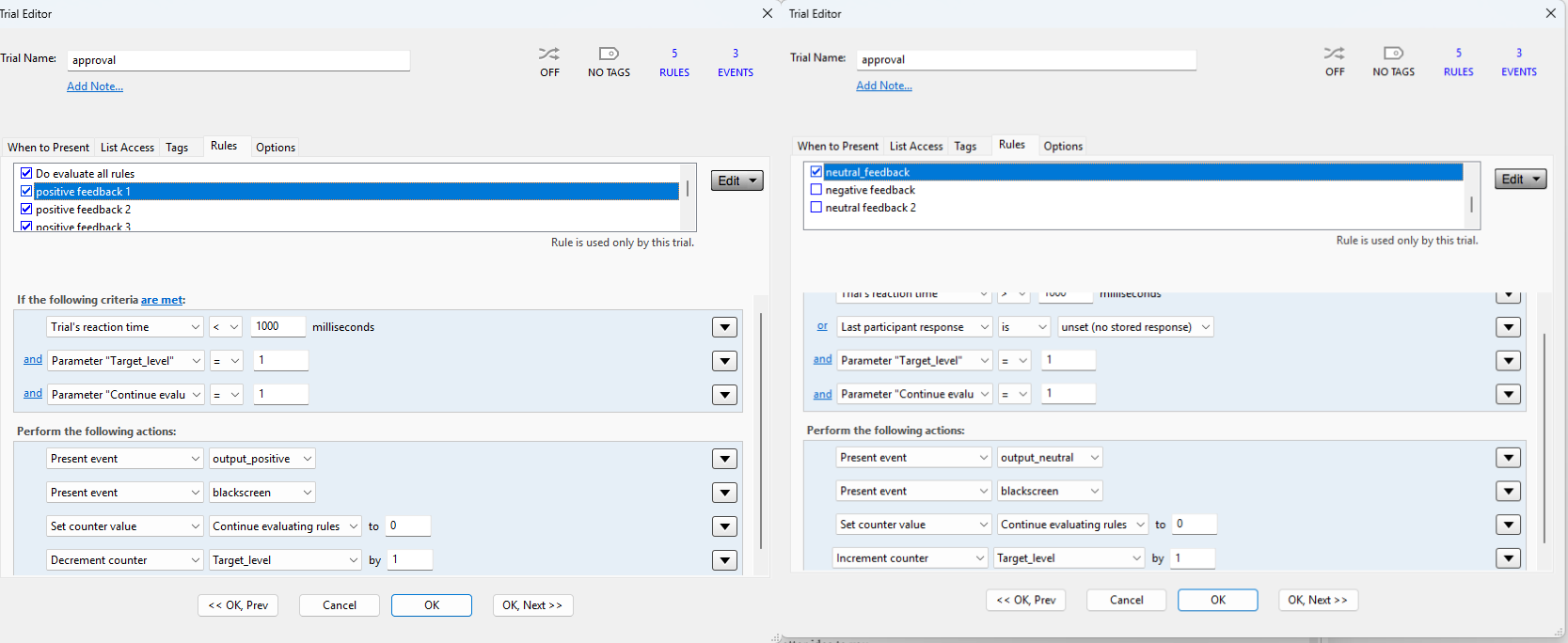
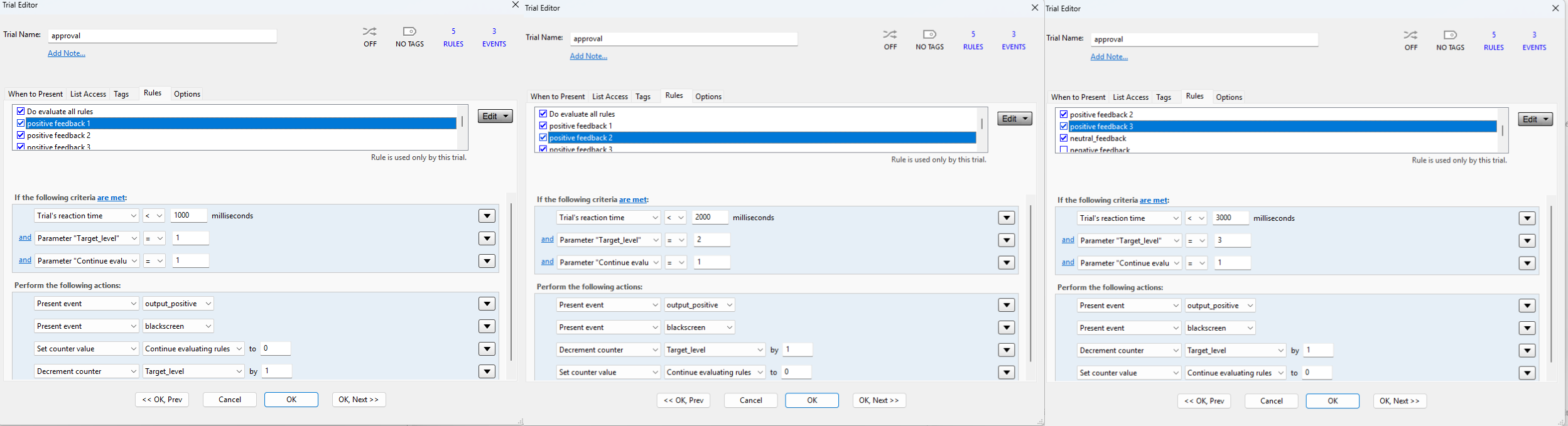
- My task involves an adaptive target display time so after your advice I had developed a time limit variable called target_level which has 3 levels for 1000ms, 2000ms and 3000ms. I am trying to match the cut off time I set in the rules with the target_level. So instead of hard coding it for a certain duration I want to identify the target_level for the trial and then modify the cut off and implement the rules. For instance, if a particular trial has target_level as 3 (for 3000ms) then I want the positive feedback to be given only if the participant has responded within 3000ms otherwise resort to the neutral feedback.
I tried creating 3 positive rules for each target_level but unsure how to handle the neutral rules to accommodate this adaptive display. I have attached a screenshot of the three positive rules that I developed for this purpose.
Apologies for these queries, I am new to the software and am developing a task with multiple conditions. Your guidance would be greatly appreciated.
I think it would be more practical to continue the conversation via a Zoom meeting; please send us an email and I’ll follow up.
Hi,
I’ve sent you an email for scheduling the zoom meeting.
Regards,
Vasundhara